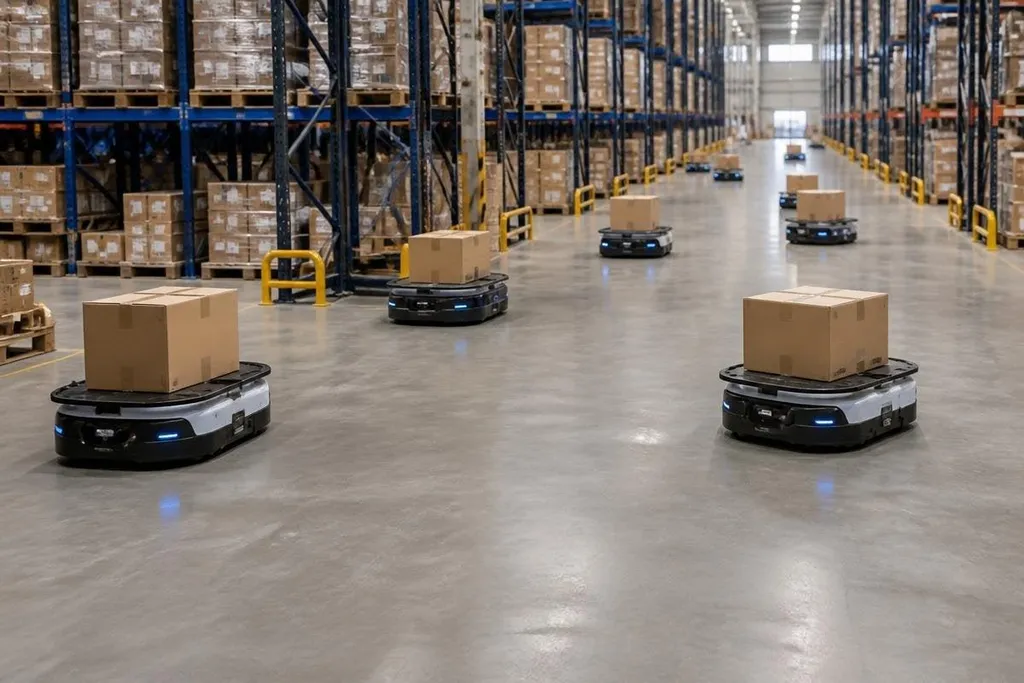
A warehouse with 50 mobile robots can become slow when each robot chooses its own route. The robots need shared maps, traffic rules, and a system that assigns work without sending two machines into the same narrow aisle.
Quick read
- A fleet manager assigns jobs and checks robot positions.
- LiDAR and odometry help each robot locate itself on a shared map.
- Traffic rules, waiting zones, and charge plans keep small delays from spreading.
One map gives every robot a common reference
Most warehouse mobile robots use LiDAR, which measures the distance to walls, racks, and other objects with laser pulses. Wheel odometry adds movement data by tracking how far the wheels turn. The robot combines those inputs to estimate its position.
That process is called simultaneous localization and mapping, or SLAM. SLAM lets a robot build or update a map while it works out where it is on that map. A fleet can then send the same map to several robots, with changes managed from one system instead of by each robot alone.
The map still needs rules. A rack moved into an aisle, a blocked fire door, or a temporary work zone can make an old route unsafe. Many systems mark these areas as blocked space, then send updated map data to the robots before assigning new trips.
A fleet manager assigns the work
The fleet manager is the software layer that connects warehouse orders with robot tasks. It may receive a request to move a pallet, bring a tote to a picking station, or return an empty cart.
The manager checks which robot can do the job and sends a route or destination. Position data matters because the closest robot may already be carrying a load, heading to a charger, or waiting at a blocked aisle.
The manager can assign another robot instead of forcing the first one to stop and wait. Robot-to-robot communication often passes through a wireless network, and each machine reports its location, task state, battery level, and safety status.
When a robot stops, the scheduler must know whether its load can wait or needs a new route. Robot24.com warehouse coordination reports can show the named robot, task, network link, and result behind claims about shared control. The next problem is physical: keeping two robots out of the same aisle.
Traffic rules prevent aisle conflicts
Warehouse robots usually follow virtual lanes and priority rules. A robot carrying a load may receive priority over an empty robot, while a robot leaving a charging point may need to wait for traffic already moving through the aisle.
Intersections need extra control. The system can reserve a crossing for one robot, send another to a waiting area, or change the second robot’s route. The method resembles traffic control, but the warehouse software knows the map, the job deadlines, and the robot’s planned path.
Deadlock is a separate problem. It happens when two or more robots block one another because each one is waiting for space. A fleet manager can reduce that risk with one-way routes, fixed waiting zones, and rules that let one robot reverse or leave the area.
The robots still need local safety control. Onboard sensors can slow or stop a robot when a person, pallet, or fallen object appears in its path. The software may know where the robot is, but the robot must react to nearby hazards without waiting for a distant server.
Charging is part of traffic planning
A robot with a low battery can affect the whole fleet if it stops beside a busy station. Charging software therefore treats battery state as part of task planning. The manager can send a robot to charge after its current job and give the next task to another machine.
Charging points also need queues. If several robots arrive together, the system can assign time slots or direct some machines to other stations. A battery swap system changes the plan again because the robot may return to work after a short stop, while a fixed battery requires a longer charge period.
The useful measure is completed work per shift, not the number of robots moving at once. I’d choose a slower fleet with clear traffic rules over a larger fleet that spends its time waiting in aisles.
A practical check before deployment
Use this checklist when you assess a multi-robot warehouse system:
- Map updates: Can staff mark blocked aisles and temporary work zones without rebuilding the whole map?
- Task changes: Can the fleet manager move a job to another robot when the first one stops?
- Intersection rules: Does the system reserve crossings and prevent two robots from waiting on each other?
- Local safety: Can each robot stop for a person or object when the network connection is slow?
- Battery planning: Does the software account for charge time, station queues, and the next shift?
- Failure recovery: Can staff locate a stopped robot and return it to service without stopping the whole fleet?
The open question for any warehouse is how the system behaves during a busy shift with blocked aisles, late orders, and several robots charging at once. A deployment earns its place when those interruptions produce a short delay instead of a warehouse-wide stop.